SogilityGO Impact Lights

Built for faster decisions

Our Lights

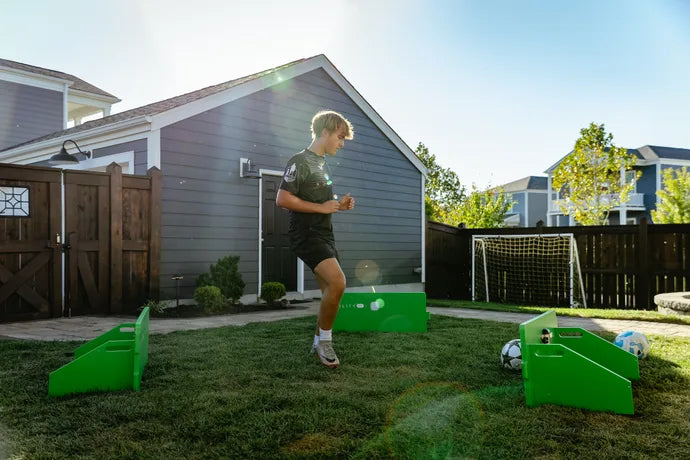
Impact Lights add instant, impact-based feedback to technical work, challenging players to stay focused, react quickly, and connect vision with control.

Paired with ReboundIQ and guided activities in the SogilityGO app, each light gives the next repetition a clear signal and purpose.

SogilityGO Impact Light cycling through green, blue, white, red, and yellow

Train beyond the touch

Perceive. Process. React.

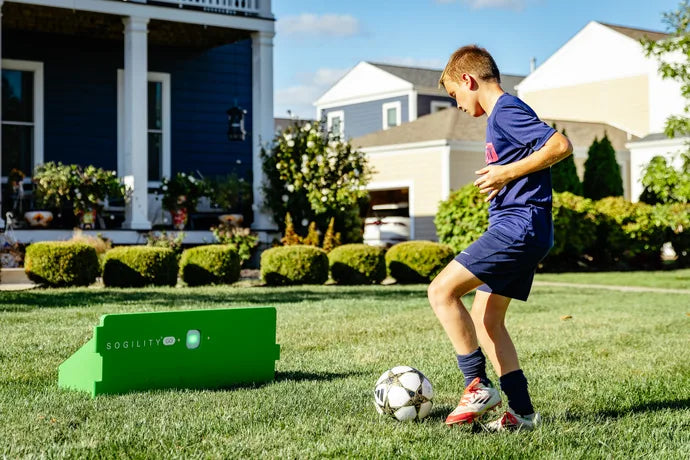
Impact Lights give players a cue to notice and respond to during each activity. Players read the cue, choose their next action, and keep control of the ball.

Perceive.

Pick up the cue before the next action

Spot the active target

A clear light signal shows the player where the next action begins.

Scan beyond the ball

With multiple lights, the target can shift between return points, encouraging the player to lift their eyes and read more of the training space.

Read the feedback

Watch the light cues and follow the activity instructions to understand the feedback and prepare for the next action.
Process.

Read the cue. Choose the action.

Know the drill's rule

Each guided activity defines what its colors mean before the repetition begins.

Match the cue to the action

Color cues vary by activity. Check the instructions before starting so your player knows which movement, foot, or target each cue calls for.

Adapt to what comes next

Guided activities can coordinate multiple lights and changing cues to introduce more angles, options, and decisions.

React.

Respond without stopping the repetition

Act without a reset

The cue appears inside the drill, asking the player to respond while the ball and the repetition remain in motion.

Adjust the movement

As the cue changes, the player may need to accelerate, change direction, move between targets, or adjust their body position.

Protect the quality

The challenge is to react at speed while keeping balance, technique, and control of the ball intact.